
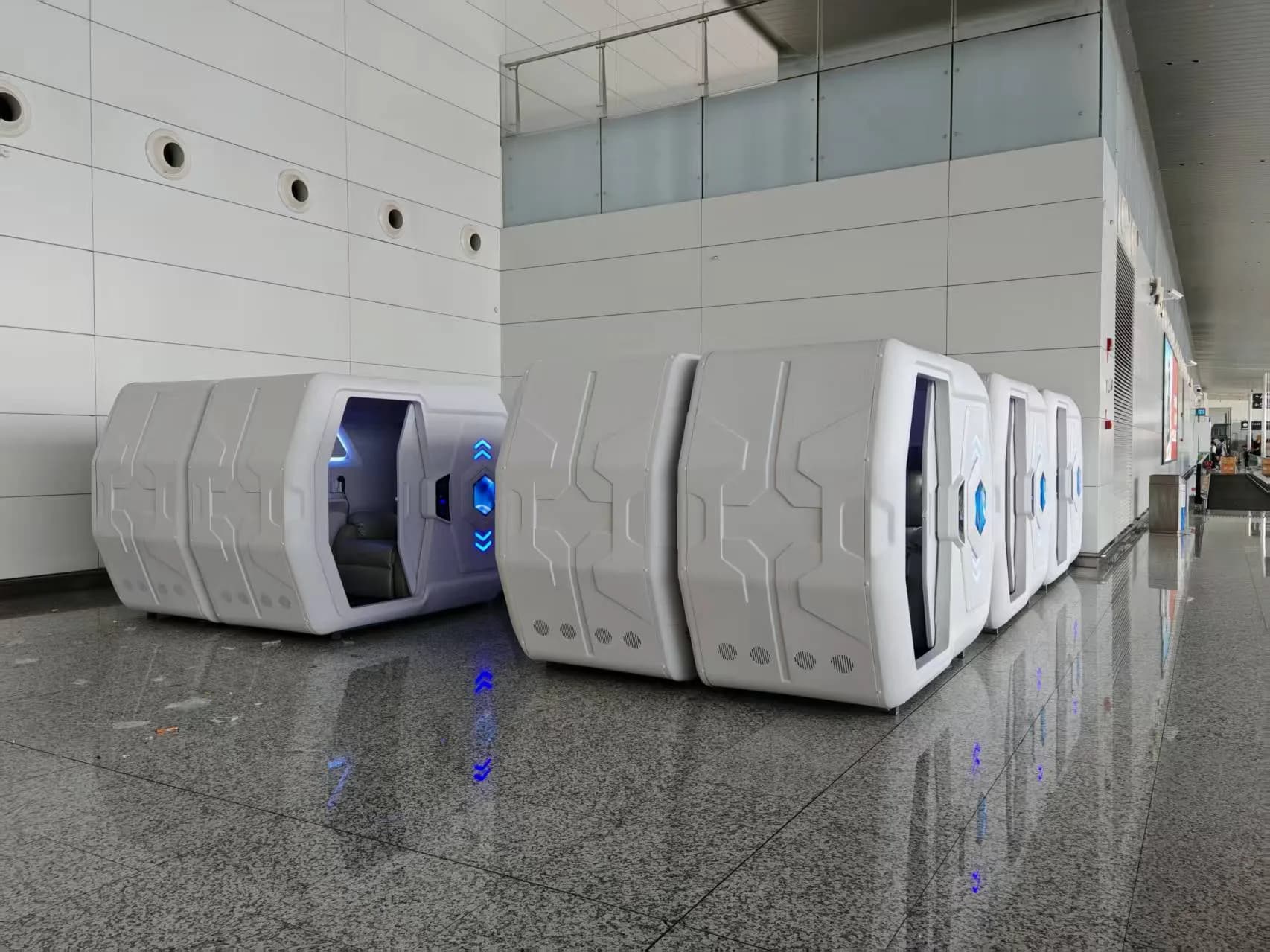
Start with a complete independent-use journey
A checklist should follow the guest journey rather than stop at the door. Can the traveler locate the pod zone and check-in point? Can they receive the assigned pod number and opening method in a usable format? Can they open the pod, understand the essential controls, leave for a washroom, return, and call for help if the process breaks? If any answer depends on a nearby stranger or a staff member who is not available, the service is not independently usable at that moment. Where guide assistance is part of the airport journey, the operator should define how a guest requests it and how the handoff reaches the pod zone.
This article is an operator planning checklist, not a declaration that any particular product installation meets a local accessibility law or airport standard. The airport, concessionaire, local designers and relevant authorities must assess the full route, signage, communications, emergency procedures, staffing and approvals for the actual terminal. GEELYE can confirm the agreed pod configuration; it cannot certify the complete airport service.
- Map arrival, booking, wayfinding, entry, in-pod use, washroom return, exit and assistance
- Test with blind and low-vision users before opening, including a disrupted or late-night scenario
- Treat physical access, information access and human response as one service
- Keep the final site accessibility and emergency review with qualified local parties
Controls: do not make a touchscreen the only way to act
GEELYE's current central control board uses slide-touch control and includes physical buttons. It does not provide voice control for shared commercial sleep-pod use. A voice interface can be considered for a home-use setting, but spoken commands in a multi-pod space may disturb other guests and can create cross-unit interaction issues. Operators should therefore plan the commercial guest experience around tactile access, clear instructions and human support rather than promise voice control.
Before purchase, ask which essential functions a guest must operate: door release, light, ventilation or fan setting, charging indication, alarm acknowledgement and help request. For each one, identify the tactile control, label, orientation cue or staff alternative. A physical button is useful only when its purpose and location can be understood reliably. The arrival instructions must explain what the guest will encounter without depending on a visual app screen.
Apply the same discipline to the booking website, payment page and mobile access flow. WCAG 2.2 provides a useful digital baseline: non-text content needs an equivalent alternative, functionality should be operable through a keyboard interface, inputs need clear labels or instructions, and detected errors should be described in text. A QR code or camera scan is therefore an access option, not proof of independent access for a blind traveler. At least one tested route should work without visual targeting, or trained staff must provide a dependable alternative.
| Guest task | Current GEELYE configuration boundary | Operator must decide |
|---|---|---|
| In-pod control | Slide-touch central control plus physical buttons; no shared-commercial voice control. | Tactile labeling, orientation, instructions and a help path. |
| First entry | Scan-to-open, password opening or hotel-card opening can be configured. | Which method works without visual targeting, and how orientation or staff assistance is provided. |
| Exit | Physical interior door-release button and manual emergency opening are available as backup methods. | Training, inspection and clear emergency instructions. |
| Emergency help | An SOS call button can be added. | Named responders, response time, escalation and on-site coverage. |
Night entry, re-entry and emergency help need separate answers
An unattended check-in can be designed around scan-to-open. After successful scan payment, the guest may enter and the configured pod lighting and functions start for the booked session. With scan-to-open, the same valid access can be used repeatedly during that session, so a guest returning from a washroom can re-enter. Password opening can also be configured. Neither method is automatically accessible: the operator must test the actual interface, orientation cues, expiry rule, failed-payment behavior, lost-phone scenario and recovery procedure before opening to the public.
Do not imply that a pod system can simply connect to the airport's accessibility-assistance service. These are normally separate systems, and an airport may not permit an outside product or service to connect to its assistance workflow. Instead, define an operational handoff: who meets a guest who requests assistance, how the guest is escorted or oriented, which staff member owns a failed entry, and how the airport's own service is contacted when needed.
An SOS button is not a substitute for an emergency response team. It can transmit a request, but someone must be available to assess and handle it on site. For overnight airport sleep-pod operations, GEELYE recommends an attended model because passengers need a person they can find when a problem occurs. A daytime, hourly, unattended model is possible in some sites, but it resembles a self-service rest facility and may not support overnight revenue or the same level of assistance.
- Publish the entry method, valid period, re-entry rule and backup method before payment
- Test re-entry after a washroom visit, a drained phone, a rejected scan and a network interruption
- Write an airport-assistance handoff procedure; do not claim unsupported system integration
- Assign an on-site owner for SOS activation, access failure, medical escalation and evacuation
Remove single points of failure from the service
A booking screen, payment success, phone camera, network connection, door credential, light control and customer-support channel can each fail. The practical question is not whether a component is digital; it is whether one failure leaves a guest outside, inside without a clear route out, or unable to obtain help. Map the failure states before launch and give each one a human owner.
A robust opening design uses two independent methods. GEELYE can support scan-to-open plus hotel-card opening, or password opening plus hotel-card opening. Inside the pod, a physical door-release button and a manual emergency opening provide additional exit options. The operator should keep a controlled staff override process, inspect it regularly and make sure staff know when not to reset a pod remotely before confirming the guest's situation.
| If this fails | Guest-safe fallback | Operational owner |
|---|---|---|
| Phone, camera or scan | Hotel card, password where configured, or attended release. | On-site service team. |
| Booking or payment path | Manual verification and a documented access decision. | Operator's booking and customer-support team. |
| Door credential | Second credential plus controlled staff override. | On-site service team. |
| SOS request | Direct response and escalation under the airport emergency procedure. | Named on-site responder. |
| Manufacturer support | Operator handles guests first; GEELYE supports its purchasing customer during working hours. | Operator, with GEELYE product support as applicable. |
The operator implementation checklist
The manufacturer and the operator have different responsibilities. GEELYE can discuss product configuration with the purchasing customer during working hours. It cannot provide round-the-clock guest support for an airport operator's passengers. A 24-hour service promise belongs in the operator's own staffing, concession and emergency plan, with named people at the terminal.
Use the following checklist in the project brief, staff training and commissioning test. The final requirements may be more demanding because local rules, terminal security and the selected service model differ from airport to airport.
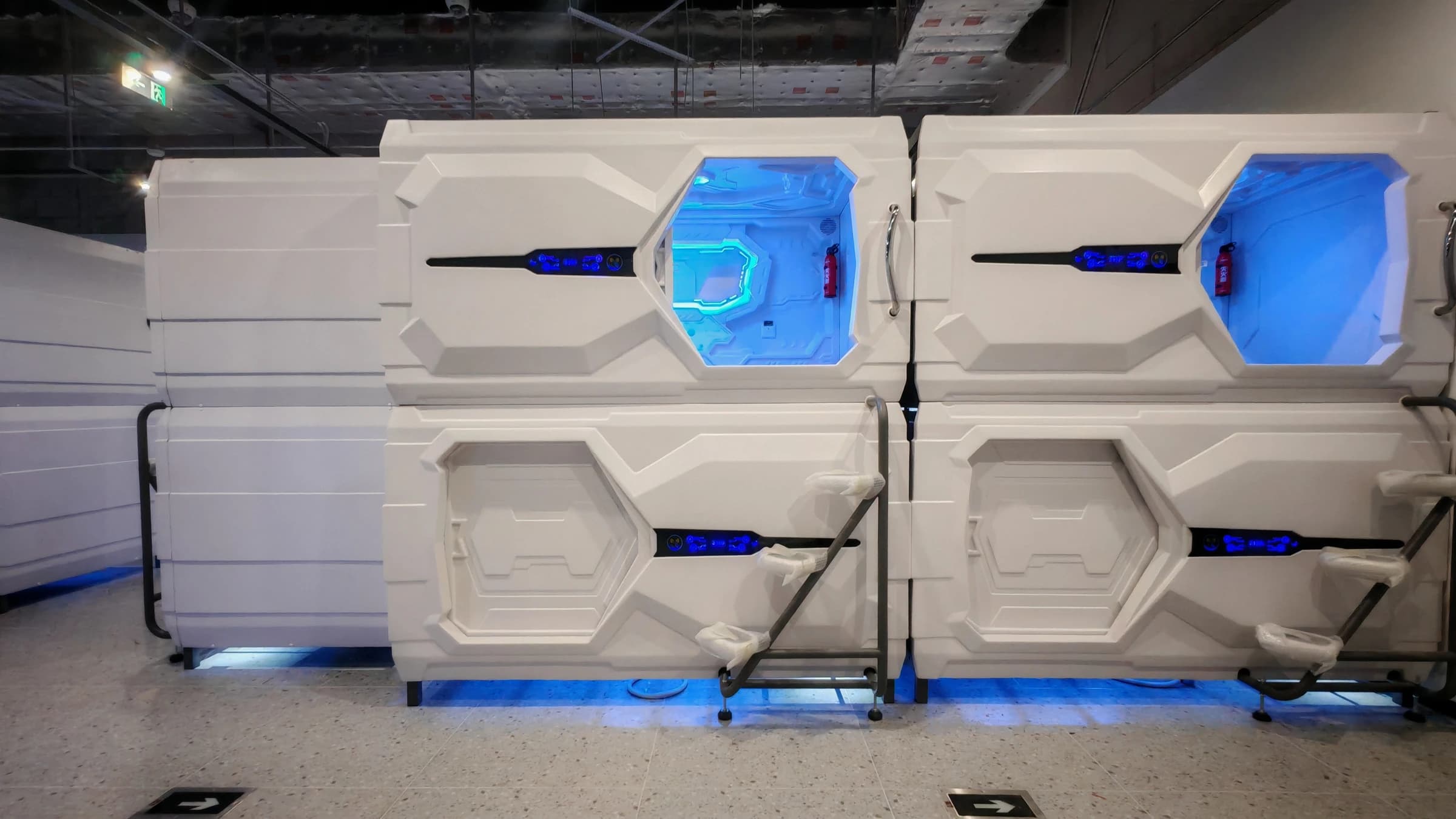
- 24-hour human support: name the team, location, contact method, maximum response target and escalation route
- Independent entry: choose and test at least two methods—scan-to-open, password and/or hotel-card opening—and verify that at least one path works without visual targeting
- Clear instructions: provide concise audio-capable or staff-delivered guidance without relying on a shared-pod voice assistant
- Backup access: keep a controlled hotel-card or staff override process and test it against loss of phone, network or credential
- Emergency calling: add an SOS button only with an on-site responder and documented response procedure
- In-pod exit: inspect the physical release button and manual emergency opening; train staff and communicate their location
- Airport coordination: create a handoff procedure with the airport's assistance and emergency teams without assuming system integration
- Commissioning: run a real journey test with blind and low-vision participants, including washroom re-entry and an SOS drill
Accessibility is a service promise, not a control-panel feature
A physical button, scan code, hotel card or SOS device becomes meaningful only when the guest can understand it and the operator can respond. Airport sleep-pod projects should pair product configuration with non-visual instructions, independent access alternatives, clear re-entry logic and real people on site.
For an airport that wants to serve blind travelers responsibly, the launch test should be simple: can a guest complete the whole stay without needing to improvise, and does a trained person arrive when help is requested? If not, the next investment is usually in the operating model, not another screen.
Sources and further reading
Related GEELYE resources
Prepare an airport sleep-pod brief with accessible operations in scope
Share the terminal zone, planned operating hours, staffing model, access methods, target quantity and destination. GEELYE can review relevant product configurations while your airport team defines the local accessibility, emergency and service procedures.
Frequently asked questions
Do GEELYE airport sleep pods support voice control for blind travelers?
The current shared commercial pod configuration does not use voice control. GEELYE's central control uses slide-touch control with physical buttons. Voice operation can be considered for home use, but in a multi-pod commercial environment it may disturb other guests and create cross-unit interaction issues.
Can a blind guest reopen an airport sleep pod after using the washroom?
With configured scan-to-open access, a valid session can support repeated opening during the use period. Password access can also be configured. The operator must clearly document the actual validity rule and provide a tested backup for a lost phone, failed scan or network interruption.
Can the pod system integrate directly with airport accessibility assistance?
Do not assume it can. Airport assistance workflows and pod access systems are separate, and the airport may not permit outside-system integration. Define a staff handoff procedure with the airport instead.
Can an SOS button make an unattended airport pod zone safe overnight?
No. An SOS button can send a request, but it still requires people who can respond on site. GEELYE recommends an attended airport model for overnight operations because guests need a person to find when an issue occurs.
What backup opening methods can GEELYE support?
Possible combinations include scan-to-open plus hotel-card opening, or password opening plus hotel-card opening. Inside the pod, there is also a physical door-release button and a manual emergency opening. Final configuration and operating procedures must be confirmed for the project.